Turn them on
WPCEManage Findershover a finderEditProduct Page
Turn on Fitment Notes on the Product Page tab. Text Before the Note is shown before each note, like Note. Leave it empty to show only the note. Notes are off by default, so nothing changes until you turn them on.
Add a note on a product
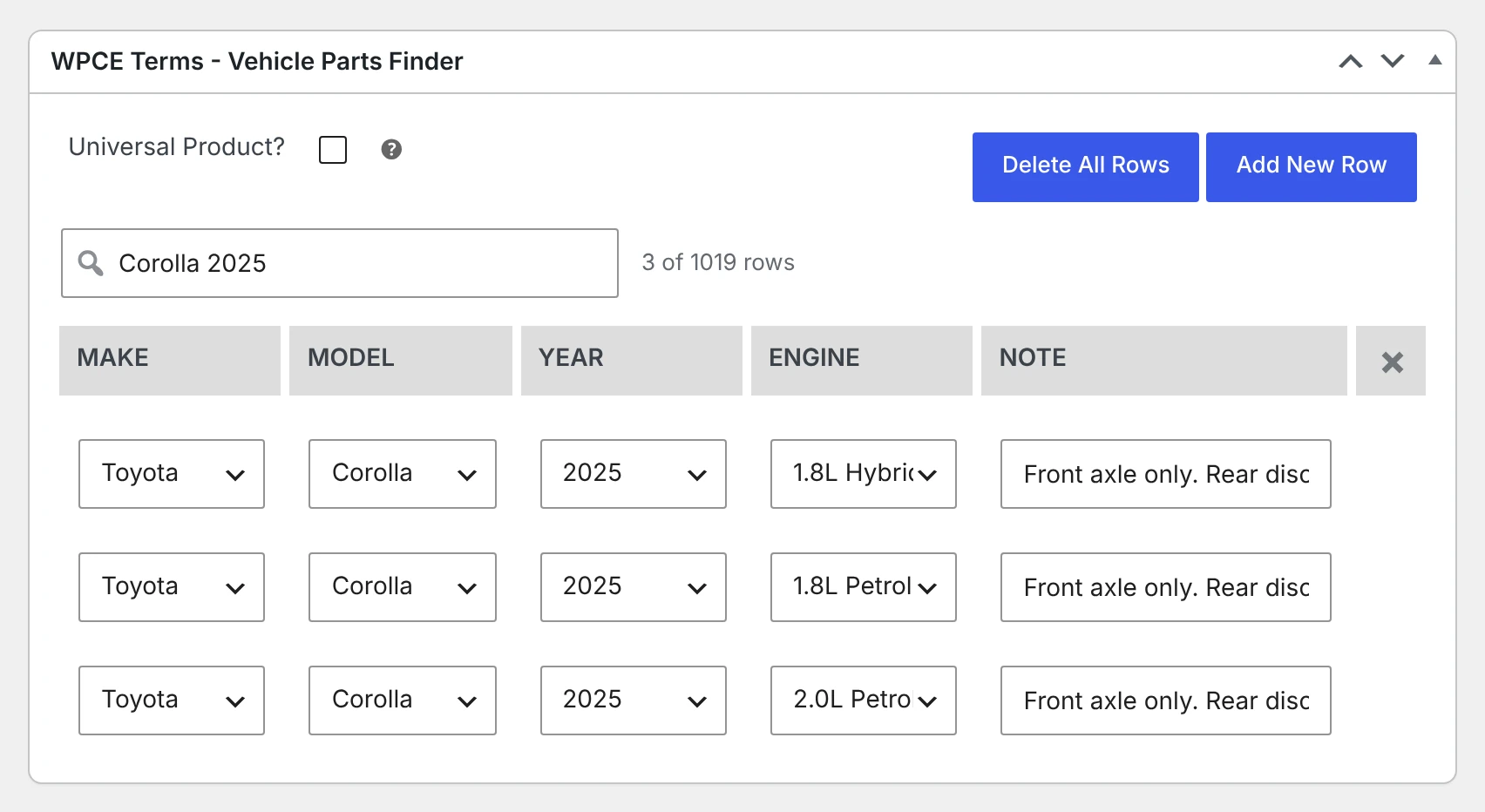
Each row in the product’s WPCE box gets a Note box, up to 100 characters. The note belongs to that row only, so a part can have a note for one model and none for the others.
Import notes
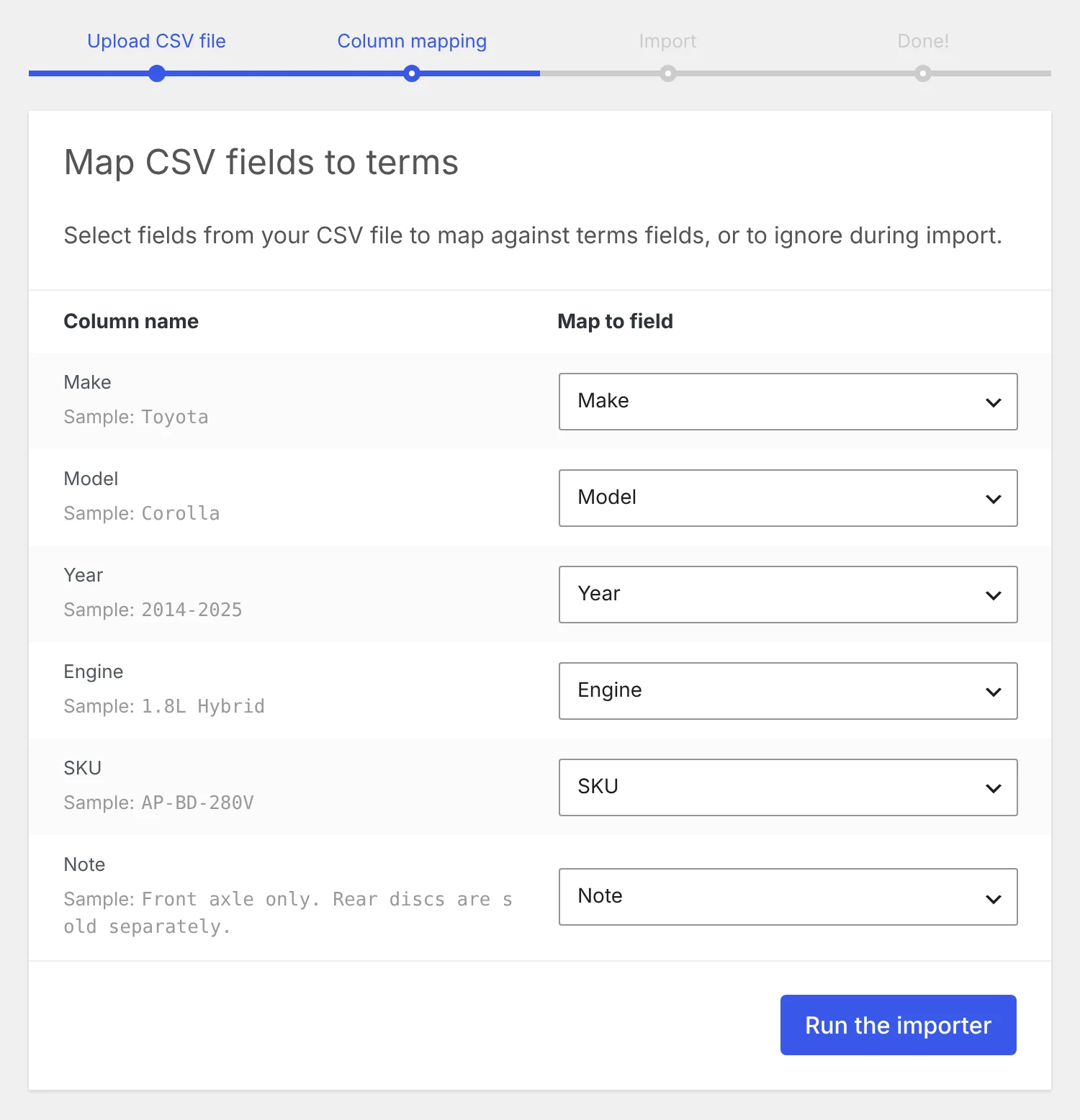
- Add a column named Note to your CSV file. It is matched for you on the column screen.
- An empty Note cell keeps a note you saved before.
- When a row lists several SKUs, every one of them gets the note.
- Delete existing terms removes old notes too.
What shoppers see
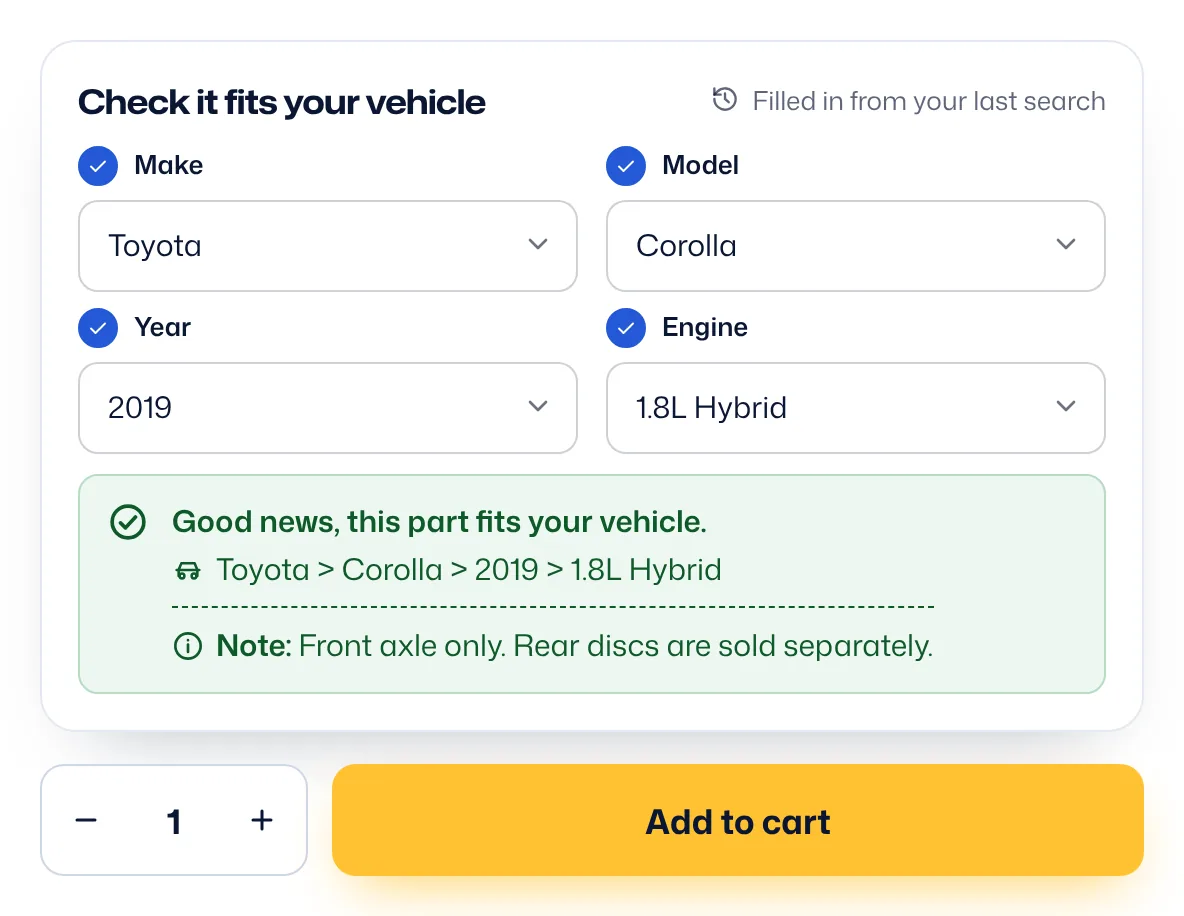
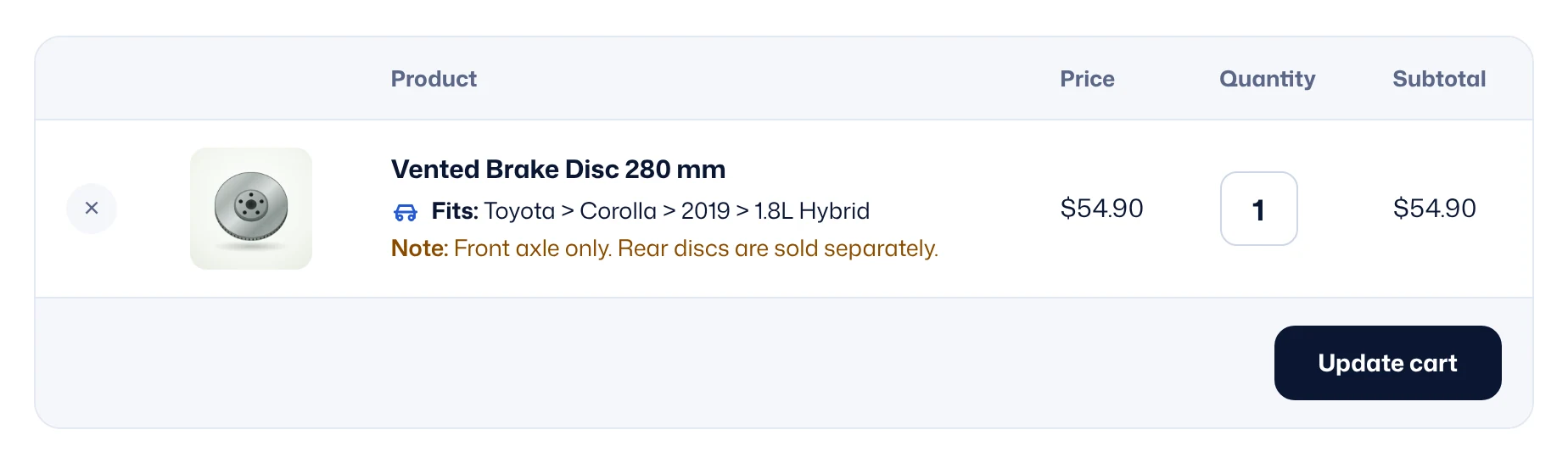
The note shows in the fit checker, the compatibility list, the cart, checkout, the order page, order emails and the admin order screen. In the compatibility list, each note sits on its own line under its row, and the list search finds notes too.
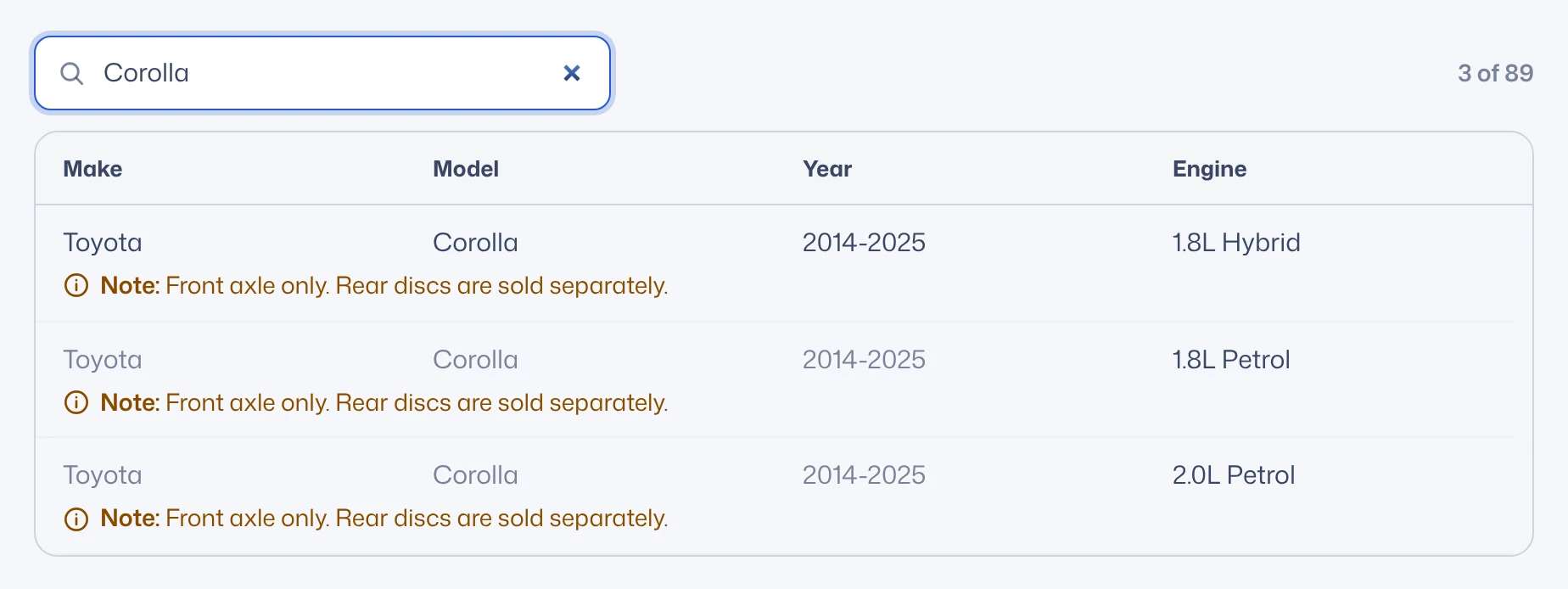
Rows with a note stand on their own when years are grouped into ranges, so the note stays with the right years. For example: 2014-2018, then 2019 with its note, then 2020-2025.