Product page tools
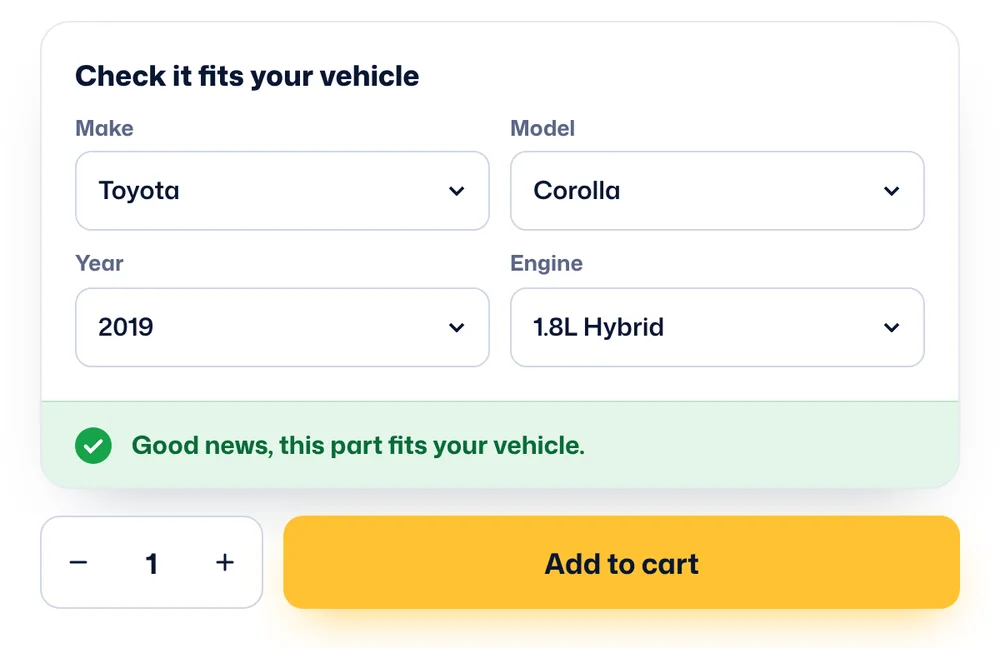
Two tools for shoppers who arrive straight on a product page: a fit checker above the Add to cart button, and a tab that lists everything the product fits.
Fit checker
- Filled in for them when they have already searched
- Green or red answer with messages you write
- Add to cart can stay hidden until the product fits
- The checked vehicle is saved with the item in the cart, checkout, order and emails
Compatibility tab
Below is the live list for the Vented Brake Disc 280 mm, placed on this page with a shortcode. Years are grouped into ranges and long lists load after the page.
| Make | Model | Year | Engine |
|---|---|---|---|
| Make | Model | Year | Engine |
| Loading compatible vehicles... | |||
Shortcode
[wpce-product-tab-terms finder="115" product="12"]
Things to try
- 1Open the brake disc and pick a vehicle in Check it fits your vehicle. Try one that fits and one that does not.
- 2Add it to the cart and open the cart. The vehicle you checked shows under the product name.
- 3Search for a vehicle first, then open any part. The checker starts with your vehicle already chosen.
- 4Open a printer cartridge to see the same checker with Add to cart always visible.
Same plugin, other stores
WPCE is not only for cars. These demos run on the same plugin with different levels and settings.