WPCESettings
The settings
OptionWPCE Settings
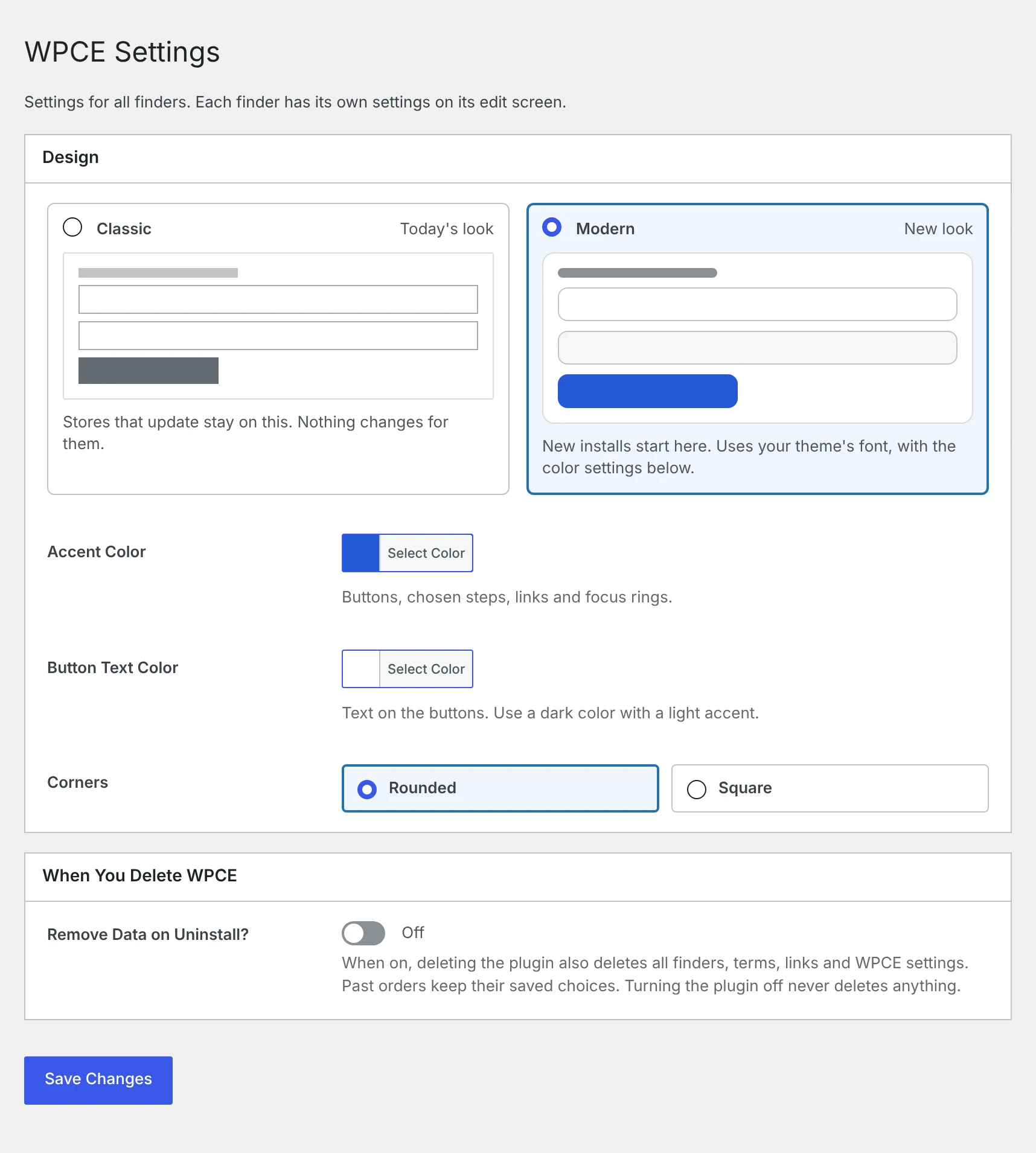
- Design
- Classic is the look WPCE always had. Stores that update stay on it, so nothing changes for them. Modern is where new installs start. It uses your theme’s font with the colors below.
- Accent Color
- Buttons, chosen steps, links and focus rings.
- Button Text Color
- Text on the buttons. Use a dark color with a light accent.
- Corners
- Rounded or square corners on the finder, buttons and lists.
- Remove Data on Uninstall?
- When on, deleting the plugin also deletes all finders, terms, links and WPCE settings. Past orders keep their saved choices. Turning the plugin off never deletes anything.
Safe to try
Switching the design only changes the look. Your finder settings stay as they are, so you can try Modern and switch back.
What Modern adds
- Numbered steps on the dropdowns that tick once chosen.
- A results bar above the products, with a Change button that opens the finder in a popup.
- A finder icon next to the shopper’s choice in Search History, the cart and search results.
- Recent and saved searches as tabs, with one-click rows.
- A cleaner fit checker with a message before a choice and a note while Add to cart is hidden.
- The shopper’s choice on one line in the cart and orders, after a Cart Label.
Quick searches, the fits badge, fitment notes and the My Searches button work in both designs.
This demo store runs the Modern design. Open Live demos at the top of this site to see it on the shop side.